Monday, February 5, 2018

01355271 Scores for Activity 1

Dear 01355271 students:

Here are your scores for Activity 1:

Full scores: 5

5911101858   5
5911102021   5
5911102030   5
5911102048   5
5911102081   5
5911102102   5


01355113 Revised Course Syllabus


01355271 Keys Units 1-6

Dear 01355271 Students:

From now on, you may download the keys for each unit at KEYS for 01355271

I will post the keys after we have completed each unit, so for now there's only unit 1.

If you have any questions or need more explanation or clarification, please ask me during the class.


Tuesday, January 23, 2018

01355271 Example of blogging

Dear 01355271 Students,

I've made 2 blogs - and 2 not-so-completed blogs - this evening as an example for you to grow on it. It didn't take me too long - about 2 hours or so - including making, adding music, and uploading clips on YouTube, as well as adding hyperlinks on some features I wanted to highlight.

https://01355271testest.blogspot.com/


01355271: How to develop e-portfolios

Dear 01355271 students,

There are five processes of developing e-portfolios.

1. Defining objectives and contents of e-portfolios. This step helps you understand the objectives of e-portfolios and the content in e-portfolios. Evaluation criteria of e-portfolio occur in this step. Also, this step defines the technology used in creating e-portfolios.
2. Creating e-portfolios. You use multimedia to determine and create the works to achieve the objectives.  Here is when you create the identity of your e-portfolios.
3. Self-reflection. In this step, you produce texts to reflect your work in e-portfolios on the criteria which have been set up in the first step.
4. Designing the link of e-portfolios. This step is choosing, collecting, and organizing the electronic tools to link each work together in the e-portfolios.
5. Presenting e-portfolios. This step is publishing the e-portfolio with a proper tool, and displaying it to everyone. 

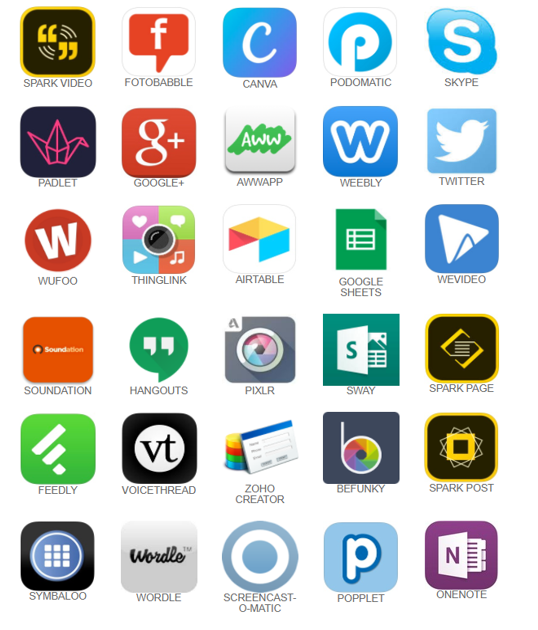
Here are examples of applications you may use to help produce your e-portfolios.

IPAD APPS


ANDROID APPS


ONLINE TOOLS


G SUITE APPS


You may also use these activities with the apps you want to use.

You may visit this site to see why I've altered some ways for this semester's course evaluation. 
https://www.mrsd4ece.com/21st-century-skills